Design Decks That Win: The Acoroza Powerpoint Template
Let’s be honest: the default PowerPoint templates are often the silent killers of great ideas. You might have a groundbreaking strategy or a revolutionary product, but if your presentation looks like it was made in 2005, your audience is already tuning out. As a designer and strategist, I know that visual hierarchy isn't just about making things look pretty; it's about making your message stick. That is exactly why tools like the Acoroza - Powerpoint Template exist. It isn't just a set of slides; it's a comprehensive design system built for professionals who need to share their ideas with confidence.
The Acoroza - Powerpoint Template bridges the gap between static data and dynamic storytelling. It combines data visualization, crisp graphics, and impactful content layouts to create a narrative flow that resonates. Whether you are a marketer pitching a new campaign, a startup founder seeking funding, or a teacher breaking down complex concepts, this template provides the canvas you need to succeed.
A Modern Aesthetic for the Modern Professional
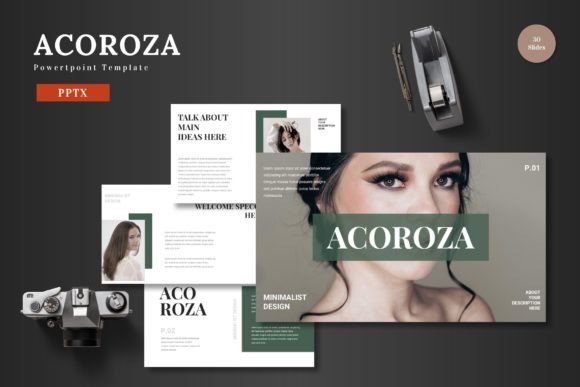
Visual identity is everything. When you open the Acoroza files, you immediately notice a shift in personality compared to standard corporate templates. The style is defined by pixel-perfect illustrations and a clean, modern typography aesthetic. It feels professional without being stuffy, and creative without being chaotic. The design relies on strong visual hierarchy, guiding the viewer’s eye naturally from the headline to the supporting data.
One of the standout features is the handcrafted infographics. We all know that data can be dry, but Acoroza transforms numbers into visual stories. The charts and graphs are designed to be intuitive, helping you explain market trends, financial projections, or workflow processes without overwhelming your audience. This isn't just decoration; it is functional design that aids in readability and comprehension.
Unpacking the Toolkit: 150+ Slides of Versatility
What makes a premium template truly valuable is its flexibility. The Acoroza package comes loaded with over 150 total slides, organized across 5 premade color schemes. This variety is crucial because it allows you to adapt the presentation to specific brand identity guidelines. You aren't locked into a single color palette; instead, you have five distinct moods to choose from, ensuring your deck aligns with the emotional tone of your message.
The structure is also incredibly user-friendly. With 30 slides per template and dedicated section break slides, you can easily organize your thoughts. The inclusion of Master Slides is a game-changer for efficiency. If you need to update a logo or change a global font style, you can do it once in the master view, and it updates across the entire deck. This feature alone saves hours of manual labor, allowing you to focus on strategy rather than formatting.
Practical Applications: From Pitch Decks to Portfolios
The versatility of the Acoroza - Powerpoint Template makes it a valuable asset across various industries. For entrepreneurs and small business owners, it serves as the ultimate pitch deck framework. The clean layouts provide enough whitespace to let your key value propositions breathe, which is essential when trying to capture the attention of busy investors.
For marketers and content creators, the gallery and portfolio slides are indispensable. Showcasing case studies, social media graphics, or web design mockups requires a layout that frames the work without distracting from it. Acoroza handles this beautifully, acting as a neutral but stylish container for your creative output.
Even for internal use, such as quarterly business reviews or project kickoffs, the data-driven layouts shine. The picture placeholder feature, which utilizes a simple drag-and-drop mechanism, makes inserting team photos or product images effortless. You don’t need to be a tech wizard to make a professional-looking deck; the template does the heavy lifting for you.
Optimizing Your Workflow with Acoroza
To get the most out of this design asset, I recommend a few practical steps. First, take advantage of the color variations. Don't just stick to the first one you see. Test your brand colors against the different palettes provided to see which one offers the best contrast and readability. Second, utilize the infographic elements to break up text-heavy slides. A wall of text is the fastest way to lose an audience; replacing bullet points with visual icons or simple charts keeps engagement high.
Finally, remember that while the template provides the structure, the content is up to you. Keep your headlines concise and your body copy minimal. Let the pixel-perfect illustrations and the strong layout do the talking. By combining your expertise with the Acoroza - Powerpoint Template, you ensure that your next presentation isn't just heard—it's remembered.