Barbosa – Google Slide Template: A Unique Visual Narrative
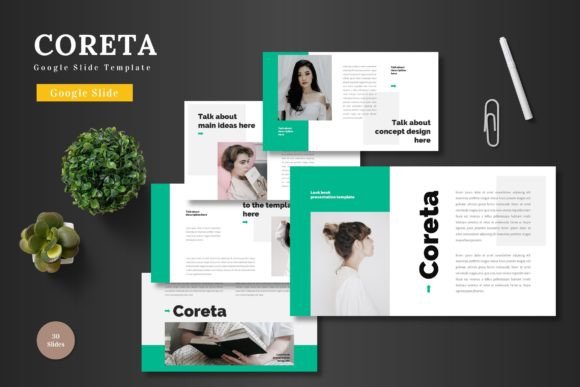
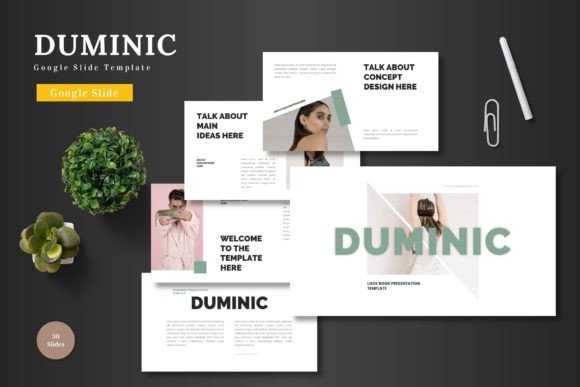
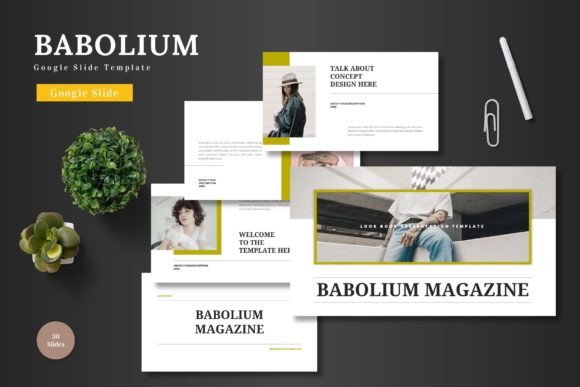
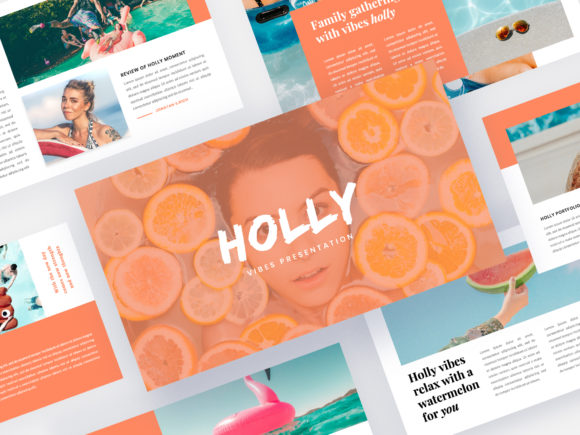
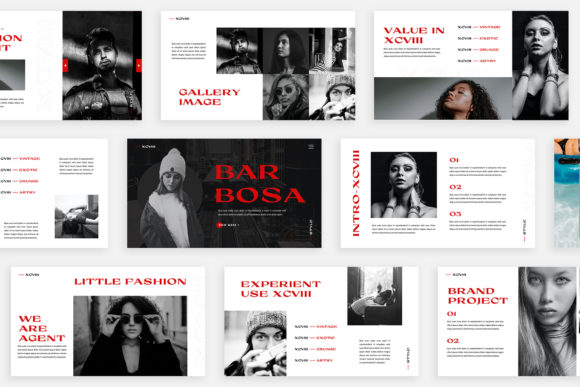
When you are pitching a new campaign to a client or presenting quarterly results to stakeholders, the default templates often feel sterile and uninspired. You need a canvas that respects your content while elevating its visual appeal. The Barbosa – Google Slide Template is not just another set of slides; it is a curated collection of 30 distinct layouts designed to tell a story. Unlike standard presentations where you simply duplicate a master slide and change the title, Barbosa offers a unique experience on every single page. It moves away from the repetitive "Title and Bullet Point" format, embracing a lookbook and magazine style layout that feels fresh and contemporary.
The personality of this template leans heavily into modern editorial design. It balances clean lines with bold imagery, creating a rhythm that keeps the viewer engaged. Whether you are a digital media specialist showcasing a new social strategy or a small business owner pitching a partnership, the visual hierarchy is already built into the design. The aesthetic is neat and professional, yet it possesses enough creative flair to stand out in a crowded inbox. It is the kind of design asset that signals you have put thought and effort into your presentation, which builds immediate credibility with your audience.
Designing for Impact: Visuals and Functionality
One of the most practical aspects of the Barbosa – Google Slide Template is its use of the Slidemaster feature. For those unfamiliar with the backend of presentation software, this is a game-changer. It allows you to simply drag and drop your images into pre-defined placeholders. You do not need to be a technical wizard to make your photos look professional. The template handles the cropping and positioning, ensuring your images maintain their aspect ratios and sit comfortably within the grid. This is particularly helpful for marketers and content creators who need to swap out campaign photos quickly without breaking the layout.
The resolution is set to High-res 1920×1080 Pixel (Full HD), ensuring that your graphics remain crisp even on large projection screens. A common issue with lower-quality templates is pixelation, which can cheapen the perception of your brand. Barbosa avoids this by prioritizing high-fidelity design elements. Furthermore, the unique theme colour feature is a significant time-saver. If you are working with a client whose brand palette is specific, you can change the accent colors once, and the updates propagate throughout the entire presentation automatically. This ensures brand consistency without the tedious task of manually editing individual shapes.
Strategic Applications and Brand Perception
Understanding where a tool like the Barbosa template fits into your workflow is key to maximizing its value. It is versatile enough for a variety of industries but shines brightest in fields that rely on visual storytelling. Fashion designers, interior decorators, and photographers will find the magazine-style layouts particularly useful for displaying portfolios. The layout variations allow you to mix full-bleed images with text-heavy slides, creating a natural flow that mimics turning the pages of a high-end publication.
For entrepreneurs and business partners, the template serves as a robust framework for business proposals. The design structure helps in organizing complex information into digestible chunks. By using distinct layouts for different points, you guide the viewer’s eye through the narrative of your business plan. This level of organization influences how your audience perceives your professionalism. A cluttered slide can suggest a cluttered mind, whereas the structured elegance of Barbosa suggests clarity and competence. It is a subtle psychological cue, but in the world of brand identity, details matter.
Customization and Technical Specifications
While the visual appeal is immediate, the technical details are what make the Barbosa – Google Slide Template a reliable tool for daily use. The package includes a PPTX File, making it compatible with both Google Slides and Microsoft PowerPoint. This flexibility is crucial for collaborative environments where different team members might prefer different software.
Typography plays a massive role in the template's success. The creators have utilized free fonts, which are accessible to everyone. You will find links to these fonts in the included Help & Instruction PDF. This eliminates the frustration of opening a file only to find that the text looks broken because you lack a proprietary typeface. The fonts chosen complement the modern typography trends, likely mixing a strong sans serif font for body text with a more expressive display font for headers to create a clear visual hierarchy.
It is important to note the distinction regarding imagery. The photographs or pictures used in the preview are not included. This is standard practice in the world of design assets, primarily due to copyright licensing. The preview images are there to demonstrate the potential of the layout. You are expected to supply your own high-quality photography or utilize stock image sites. This actually works in your favor, as it ensures your presentation is unique and tailored to your specific message, rather than looking like a generic stock template.
Practical Guidance for Implementation
To get the most out of this premium font and slide combination, consider the following practical tips. First, do not feel constrained by the suggested color palette. The automatic color change feature is powerful; use it to match the exact hex codes of your brand guidelines. Second, pay attention to the many variations of layout and text. If a slide feels too image-heavy for your content, try swapping it with a text-centric layout from another slide number. The modular nature of the 30 slides allows for mixing and matching.
Finally, consider the context of your presentation. If you are presenting on a webinar, ensure your text is large enough to be read on smaller screens. The Barbosa – Google Slide Template is designed with readability in mind, but you should always test your content on a mobile device before presenting. By leveraging the lookbook style and the drag & drop functionality, you can transform a standard business update into an engaging visual experience that resonates with clients and partners alike.